

Multi-flight import
Surveys that span several take-offs — a battery swap, a paused mission — used to require collecting every folder by hand. Now it is enough to select a single folder during image import: DroneField finds the flights that belong together and offers to merge them.
How detection works
Section titled “How detection works”Two conditions must both hold for a neighbouring flight to be grouped in:
- Temporal proximity — the flights started within 1 hour of each other, and
- Contiguous area — the covered areas connect. A separate field a few hundred metres away is not pulled in, even if it was flown minutes later.
The confirmation list
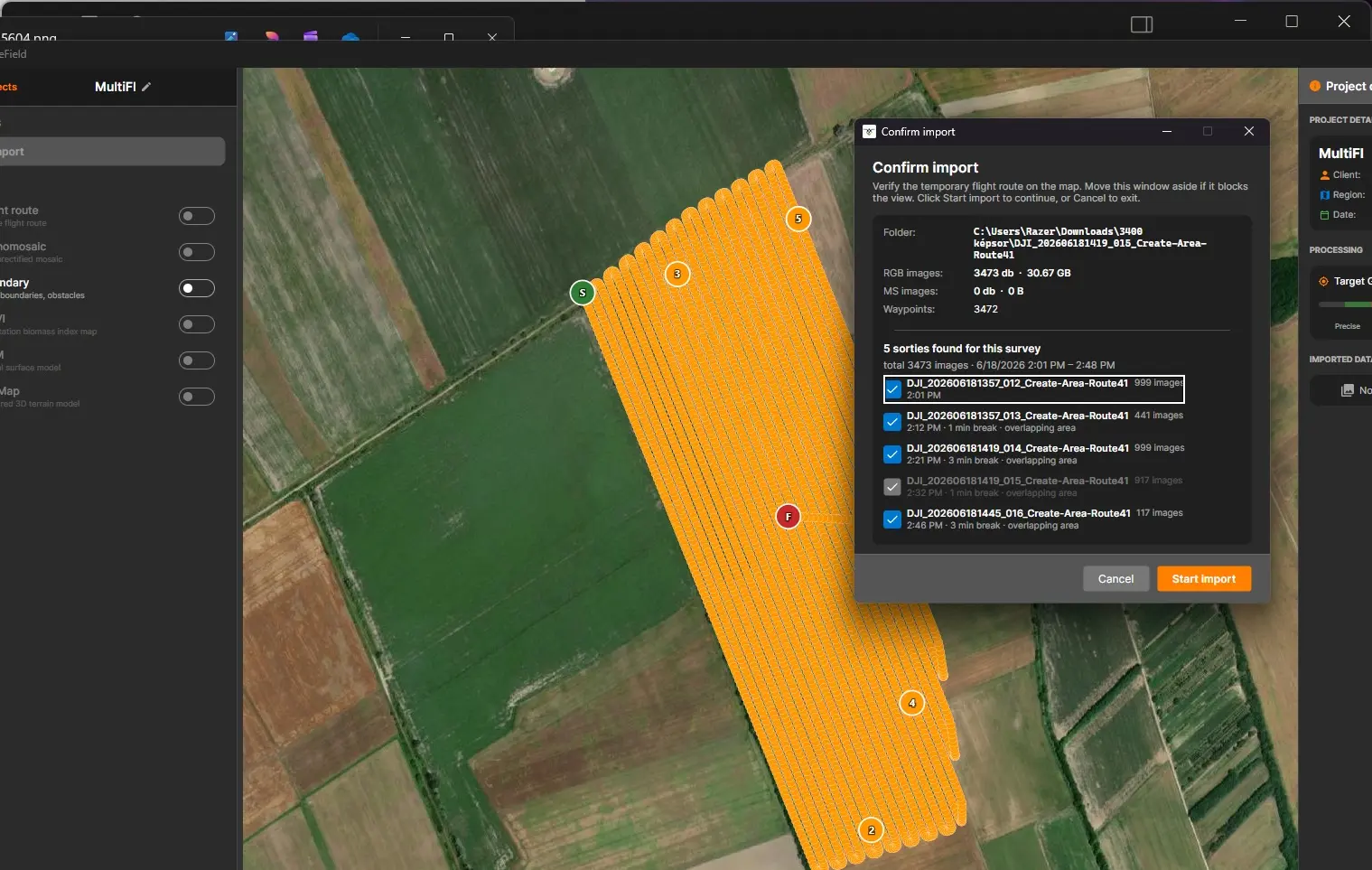
Section titled “The confirmation list”Before anything is imported, DroneField shows the detected group:
- the group members are pre-ticked, each with the reason it was included (time gap + distance);
- excluded neighbours are listed too — one click adds them if the detection was too cautious;
- the map preview draws a separate flight path per take-off, with S / F markers (start / finish) so you can verify each leg.
Untick anything that does not belong, then start the import as usual.
Single flights and manual selection
Section titled “Single flights and manual selection”- With a single take-off in the folder, the panel appears in the familiar, simple form — no group list.
- Cmd-click still works in the folder picker if you prefer to select multiple folders by hand.